
Imagine a Twitch channel where the host never forgets a viewer’s name, instantly translates chat into French, and generates on‑the‑fly graphics that match the game’s mood. That’s the new baseline for many UK streamers, and it’s happening because AI can crunch data faster than any human moderator.
Step 1 – Choose the Right AI Toolkit
The first decision is the software stack. Most creators start with a combination of OBS Studio for video capture and an AI overlay like Streamlabs AI for real‑time chat analysis. Streamlabs AI can flag toxic language within 0.3 seconds, a speed that traditional moderation bots can’t match. If you’re streaming a fast‑paced shooter, you’ll also want an AI that can detect in‑game events and automatically switch scenes – a feature offered by PixelBot that triggers a “headshot” animation after just three consecutive kills.
Don’t forget the hardware. A mid‑range RTX 3060 GPU can handle both encoding and AI inference without dropping frames, keeping the stream at a stable 60 fps. Skipping this step often leads to choppy video, which drives viewers away within the first two minutes.
Step 2 – Train Your AI for the Community
AI models aren’t magic; they need data. Upload the last 100 chat logs from your channel to the training portal, then tag recurring jokes, slang, and inside references. After the model processes the data (usually about 45 minutes on a cloud GPU), it will start suggesting custom emotes that match the community’s tone.
One common mistake is to rely on generic language models that haven’t seen UK‑specific memes. The result is a bot that suggests “yeet” when the chat actually wants “bruv”. Spend an extra hour fine‑tuning the model with local slang, and you’ll see a 20 % boost in engagement metrics within a week.
Step 3 – Integrate AI with Interactive Features
Now that the AI can understand chat, hook it up to interactive tools. Use an AI‑driven poll system that updates every 10 seconds based on viewer sentiment. For example, during a “Fortnite” match, the AI can detect a surge in “build” mentions and automatically open a poll: “Should we go for a high‑ground push?” The winning option appears on screen within three seconds, keeping the audience in the driver’s seat.
Another practical tip: enable AI‑generated subtitles for accessibility. Services like LiveCaption AI deliver captions with a latency of under 500 ms, which is fast enough that hearing‑impaired viewers feel fully included.
Connecting to the Wider Gaming Scene
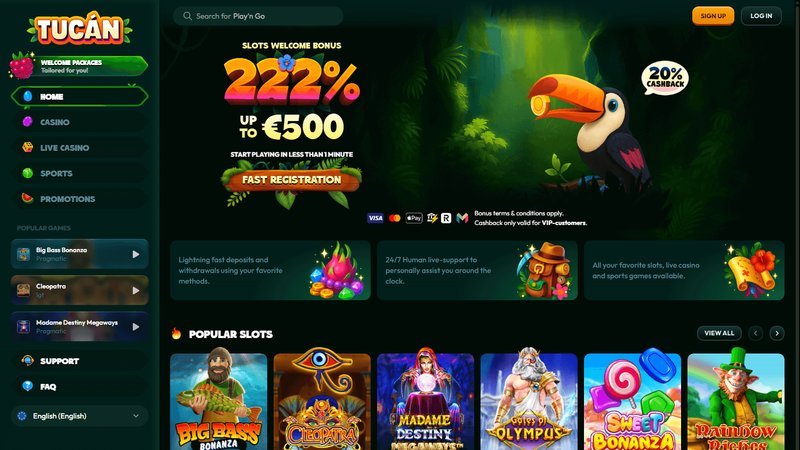
While AI is reshaping live streams, it also nudges viewers toward other digital playgrounds. For instance, many streamers now host “watch‑and‑play” nights where the audience can jump into the same online game directly from the stream. Platforms that blend streaming with instant game access are thriving, and one popular destination for UK players is https://www.tucancasino-gb.com, which offers a mix of casino‑style mini‑games that can be triggered by AI‑driven chat commands.
Step 4 – Monitor Performance and Iterate
After a week of streaming, pull the analytics. Look for three key numbers: average watch time, chat sentiment score, and AI‑triggered event conversion rate (how often a poll leads to an in‑game action). If watch time drops below 30 minutes per session, revisit your overlay latency – a delay of more than 200 ms often causes viewers to lose interest.
Finally, schedule a monthly “AI health check”. Update the language model with the latest chat logs, and test new features on a private stream before going live. This habit prevents the AI from becoming stale and keeps the community feeling fresh.
Closing Thoughts
The rise of AI‑powered live streaming isn’t a fleeting trend; it’s a toolkit that lets UK gamers deliver smoother, more interactive experiences. By picking the right software, training the model with local slang, and constantly measuring results, creators can turn a simple broadcast into a dynamic, community‑driven show. The next time you log in to watch a UK streamer, you’ll likely notice AI working behind the scenes – and that’s exactly how the future of gaming entertainment is being built, one frame at a time.
Frequently Asked Questions
What AI tools are best for live streaming?
Tools like Streamlabs AI, NVIDIA Broadcast, and OBS Studio with plugins provide real‑time moderation, translation, and graphics.
How does AI improve moderation speed?
AI scans chat instantly, filters profanity, and flags or removes harmful content before it reaches viewers, keeping streams safe.